
Guide › Help & support
9. Help & support
Stuck, confused or something went wrong? Here's how to reach staff.
Ask staff for help NEW
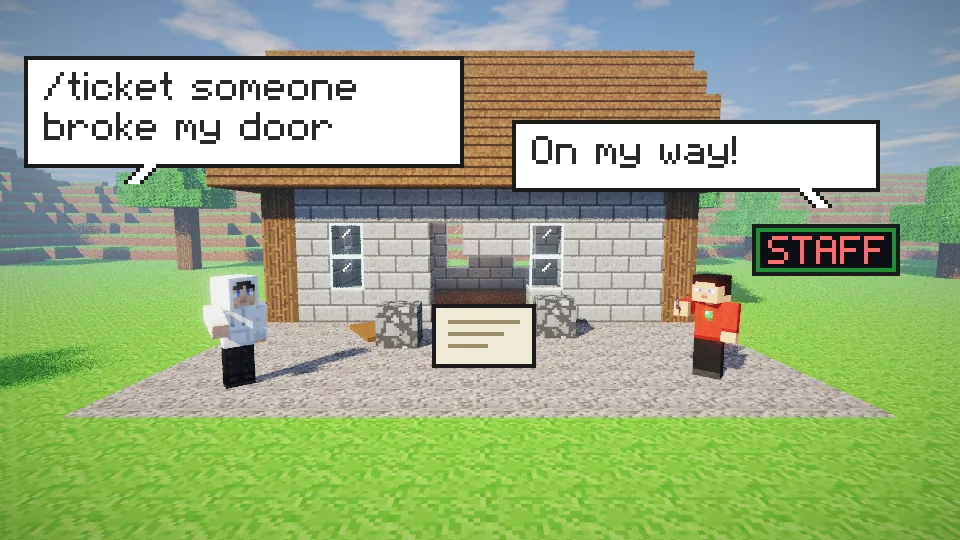
Open a ticket. Staff get pinged straight away and can see where you were standing when you sent it.
/ticket <message>Open a ticket, like /ticket someone broke my door. /modreq <message> does the same./menu, then Help & Rules → Ask Staff for Help and type your problem. Easiest on Bedrock.Keep it short and say what happened. If it's about a place, send it while you're standing there.
Your tickets and staff replies
/ticketSee your tickets and what staff said. It opens a menu on Java and a form on Bedrock, with a New ticket button./ticket reply <id> <message>Add more to a ticket./ticket cancel <id>Close a ticket you don't need any more.Staff replies show up in chat. If you were offline, you'll see them the next time you join.
- Up to 5 open tickets at once.
- Each message is 4 to 256 characters.
- You can open a new ticket every 30 seconds.
Get help on Discord
Our Discord is the best place for questions, longer problems and anything you can't sort out in game. Staff and other players can help there too.
Link your accounts with /discord link so staff know who you are. You need this to become a Member anyway.
Report a player or griefing
- Open a ticket with
/ticket <message>(or/modreq) with the player's name and what they did. - Griefing gets rolled back, so don't rebuild first. Tell staff where it happened.
- Screenshots help. Post them on Discord.
- Don't fight back or grief them in return. That breaks the rules too.
Store and rank problems
Ranks from the store arrive in game within about a minute. If yours hasn't, rejoin the server once. Still missing? Ask on Discord with your Minecraft name and the time you paid.
Quick fixes
/guideThe Start Here guide. /guide <step> repeats one step, like /guide claims./rulesRead the rules./commandsGet a link to the command list./spawnStuck somewhere? Go back to spawn./backGo back to where you died.